


QREC Workshop Room
About QREC Workshop Room 1 and Workshop Room 2
Current Kyushu University students and others involved in projects such as IC and C&C (see below for details) may use Room 5722 (QREC Workshop 1 / Digital) and Room 5724 (QREC Workshop 2 / Woodworking) on the 7th floor of Center Building 5 on the Ito Campus (click here for a map). However, this does not apply if you do not meet the terms of agreement for use. As reservations are required in advance, please review the guidelines for using the QREC Workshop Rooms before contacting us to make a reservation.
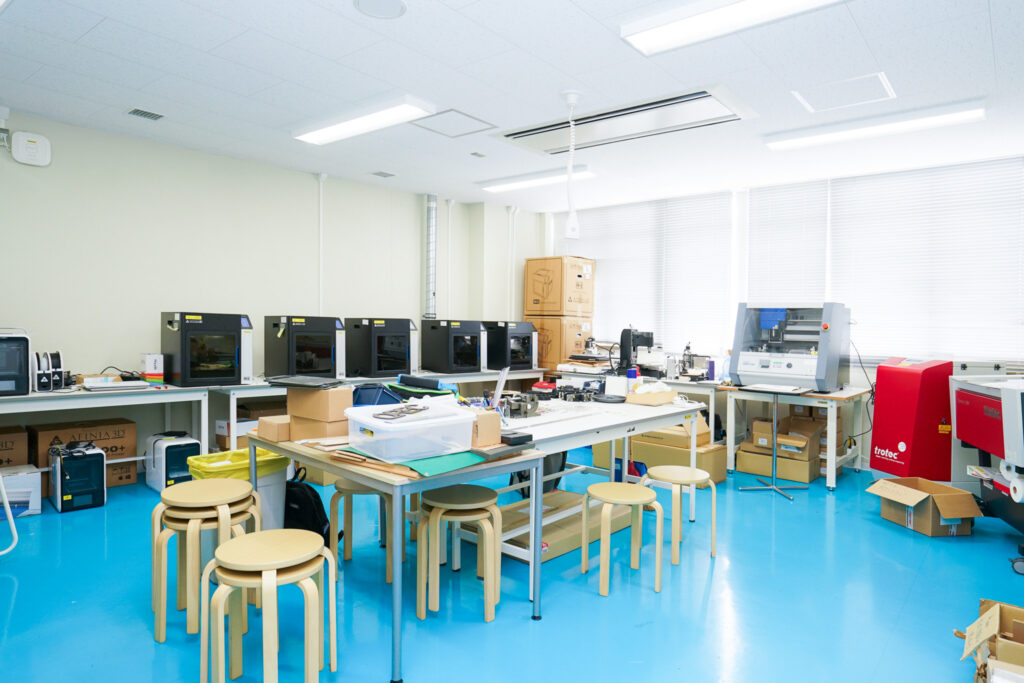
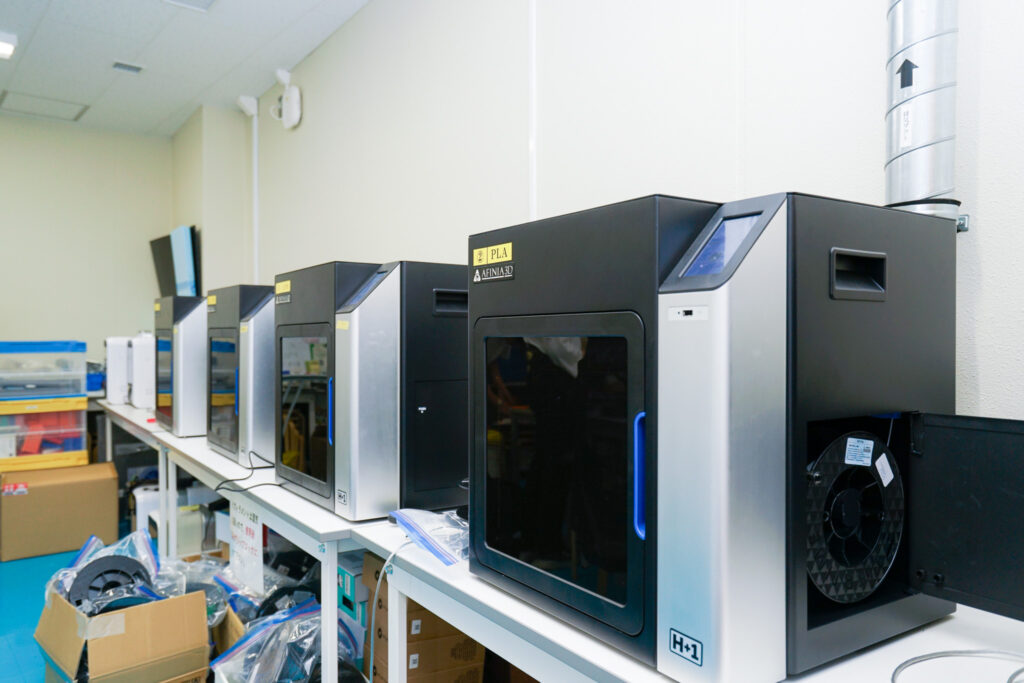
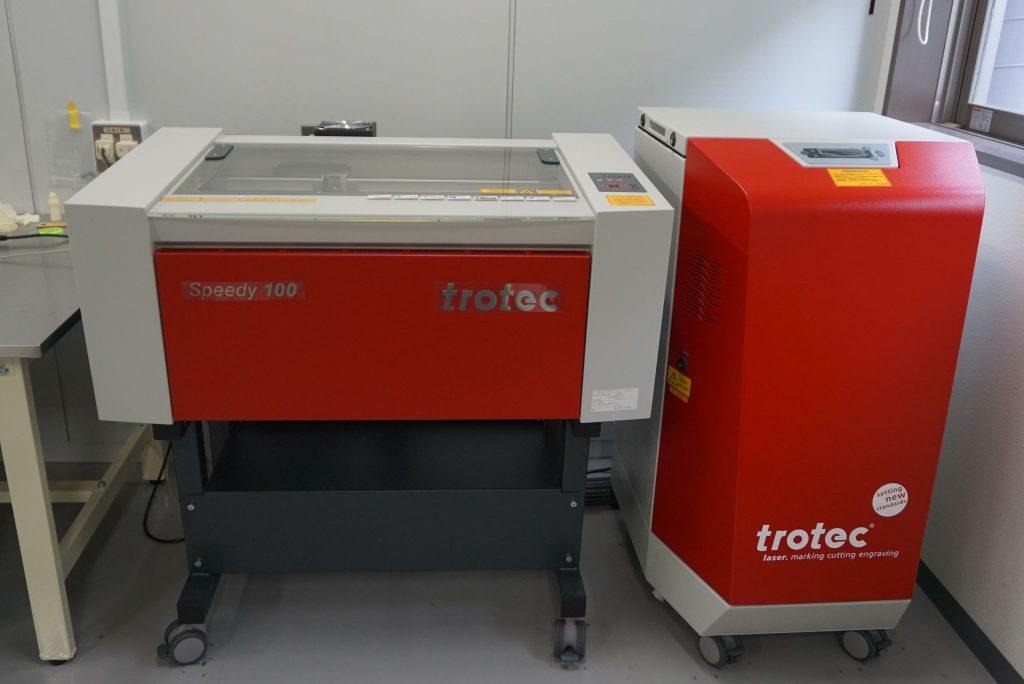
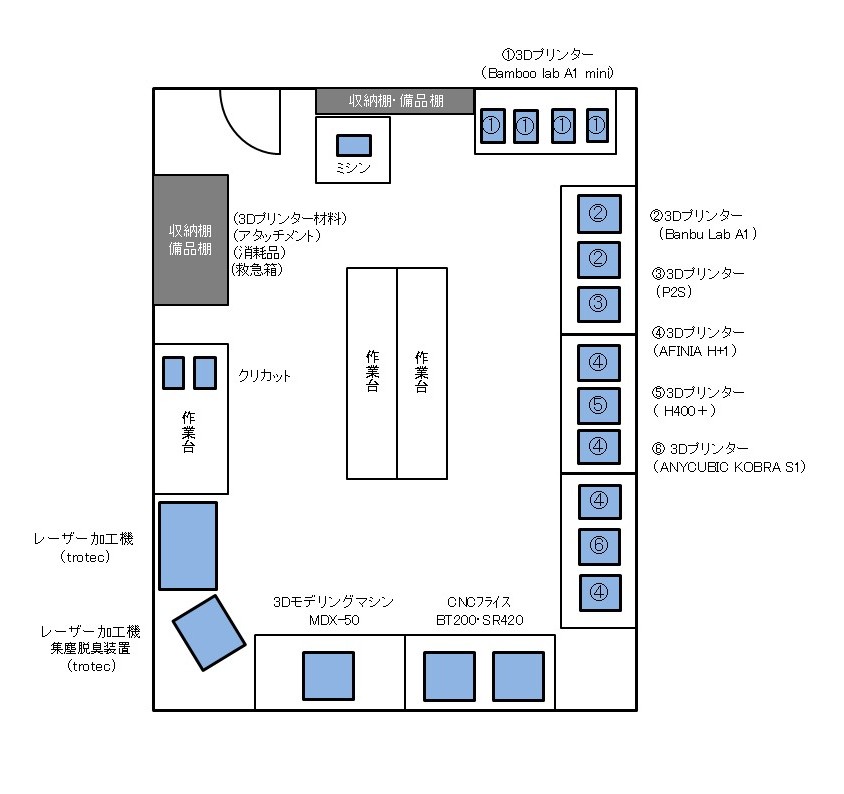
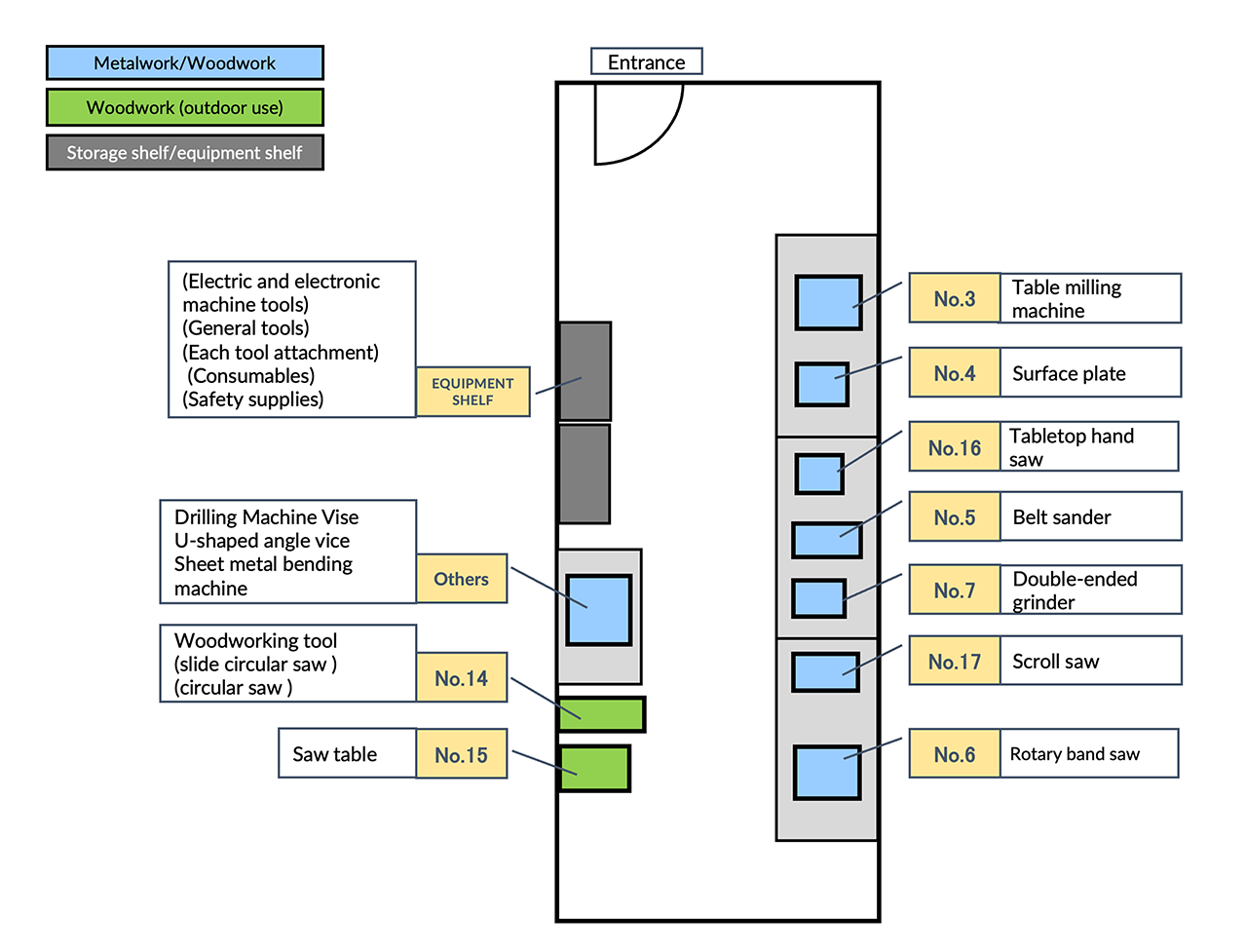
Layout
Usage rules
Available to
- QREC Faculty and Staff
- Students, student groups and registered parties accepted for student projects
- QREC lecture or program participants who need to use the workshop
- Student groups accredited as QREC Premium Members
- Students and student groups approved by the QREC Center Director
- Persons associated with and authorized to use Fab Lab in Ohashi
- Individuals and organizations involved in the operation and maintenance of QREC-designated QREC workshop rooms
If you do not fall into the above categories and wish to use the workshop, please download the following file, fill it out and submit it.
- Please note that it will take about one month to obtain approval at the meeting after the hearing with QREC faculty based on the application documents.
Flow of Use
If you are using the QREC Workshop Room for the first time, please read the “Guidelines for Using the QREC Workshop Room” below and follow steps (1) through (5).
(1) Attend a safety course.
Those who wish to use the workshop must take a safety course.
The safety workshop will be notified by e-mail to the representatives of the approved circles and to the representatives of the teams adopted for the program.
- Students are required to have Insurance for Student Education and Research (Gakkensai) and the Liability Insurance for Gakkensai (Incidental Liability Insurance).
- Students who have taken “Prototyping I” (formerly “Digital Fabrication Tutorial” prior to the 2025 academic year) are not required to attend the safety training session.
Documents to be submitted
- Photocopy of student ID card (both sides)
- Copies of documents related to Gakkensai and Gakkensai insurance subscription
(2) Make a reservation to use the workshop.
Reservations for the use of the workshop must be made at least one day prior to the planned date of use.
Reservations can be made at the QREC office or LINE.
- If the previous day falls on a Saturday, Sunday or holiday, the deadline is the weekday immediately before.
Available from 9:00 to 17:00 on weekdays.
Make a reservation on line
Please send the following information via LINE Talk on the official QREC account.
On-Line Reservation Template
ーーーーーーーーーーーーーーーー
▼QREC Workshop Reservations
[Name
Affiliation
Student ID number
Date Time] From ( ) to ( )
Equipment used
ーーーーーーーーーーーーーーーー
- Affiliation: S.I.P. awardees should list ≪C&C・IC (1st or 2nd)≫; Premium Members should list their club name; all others should list their faculty or graduate school.
- If you need to cancel, please contact us in advance. Unapproved cancellations may result in refusal of future use.
(3) Submit the required documents.
On the day of use, please come to the QREC office and submit the following required documents.
4) Start of use
When using the QREC Workshop, please be sure to check in at the office first.
If you have any questions or concerns regarding its use, please consult the office.
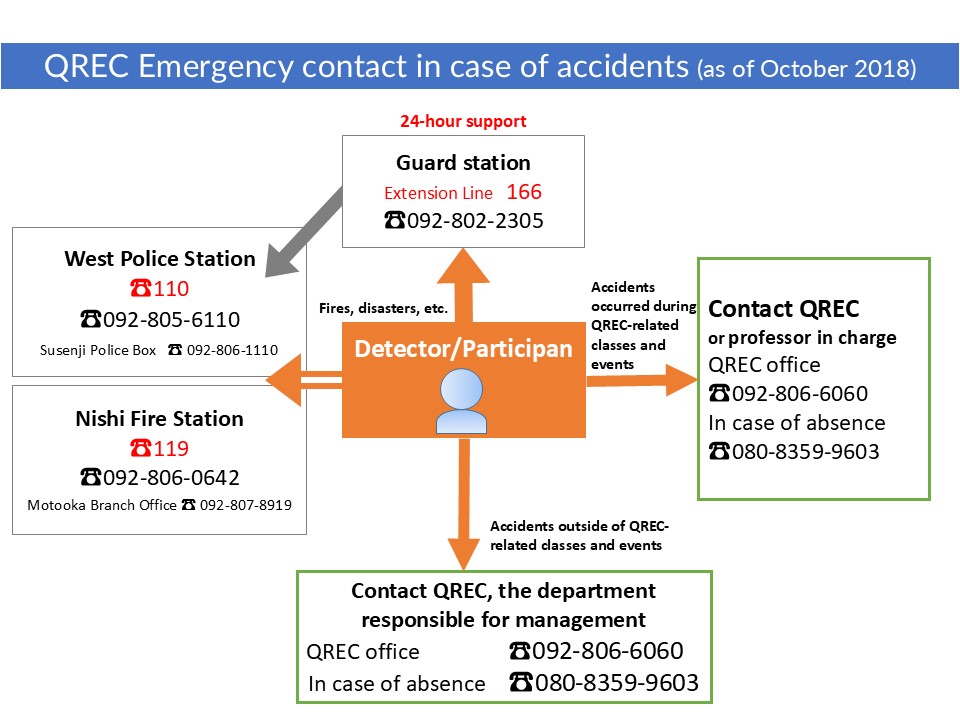
Please exercise caution when using equipment that poses a safety risk. In the event of an accident, please ensure you are familiar with the emergency contact procedures.
(5) After use
After use, please fill out the “Post-Use Checklist” below and return the key card to the front desk.
- Please report to the office if there is a problem with the machine or if the supplies are running low.
QREC Workshop Reservation Status
Contact Us
QREC Office
- TEL:
- 092-802-6060
Hours: Weekdays 9:00-17:00 *Except Saturdays, Sundays, national holidays, year-end and New Year holidays, etc. If you are in a hurry, please call us.
Please change ★ to @ when you send us an e-mail.